For various reasons, some people prefer not to have a PayPal account. Given that PayPal is the company that processes all of our online payments, as a club we can’t avoid it entirely. However, if you’re a member with an Annual Pay membership, you can avoid having to set up a PayPal account when you’re paying for your membership with a credit card or debit card. Just follow these instructions:
- When you click the Pay with PayPal button, it will bring up a PayPal window with a large blue “Log In” button and below that a large white button labeled “Pay with Debit or Credit Card.” Click that white button.
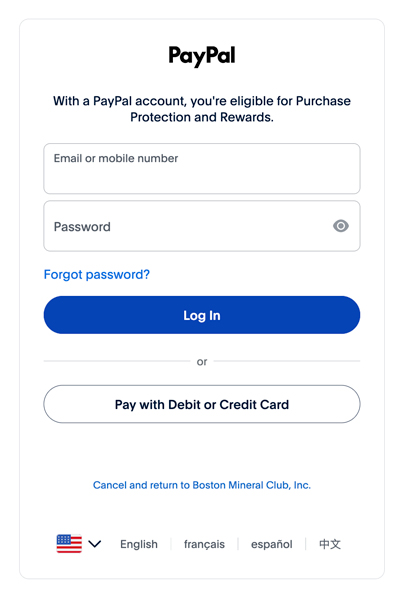
- You should next see a payment screen labeled “Pay with debit or credit card.” Fill out the payment screen information.
- After the ZIP code field, you will see a box that looks like this:
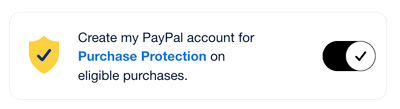
- On the right side of the box, if you don’t want to create a PayPal account, click the circle with the checkmark in the middle to turn off the Create PayPal account function. Then it should look like this:
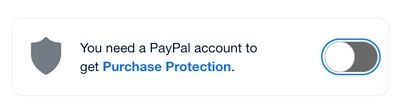
- Then click the large blue Pay Now button.
- When you’re done, you’ll see a Membership Confirmation screen with all of your order information, and you will receive a copy of your receipt from PayPal in your email. On the Membership Confirmation screen, you can click Print or Save as PDF in the gray bar at the top of the order window if you’d like to print out, or save a PDF file of, your order for your records.